eXtab #1: THE PROBLEM
How many tabs are currently open in your browser?
And more importantly…
How many of those do you actually remember opening?
If you’re a developer, you’ve probably had one of those days.
You have 37 browser tabs open.
You hear music playing somewhere.
GitHub is open three times.
Stack Overflow is open four times.
There’s one mysterious tab that’s been sitting there for three days and you’re too scared to close it because…
“What if I need it later?”
I know I’ve been there.
The Problem
Hi! I’m Ishika 👋
I work in an Incident Response (TechOps) team where almost my entire day happens inside the browser.
A single investigation usually means opening:
- Datadog
- ServiceNow
- Internal dashboards
- Documentation
- GitLab
- Google searches
Hours later…
I have dozens of tabs open.
Some are duplicates.
Some haven’t been touched all day.
Some are there simply because I’m emotionally attached to them.
Closing everything wasn’t really an option.
So I decided to build something that could help me understand my tabs instead of simply deleting them.
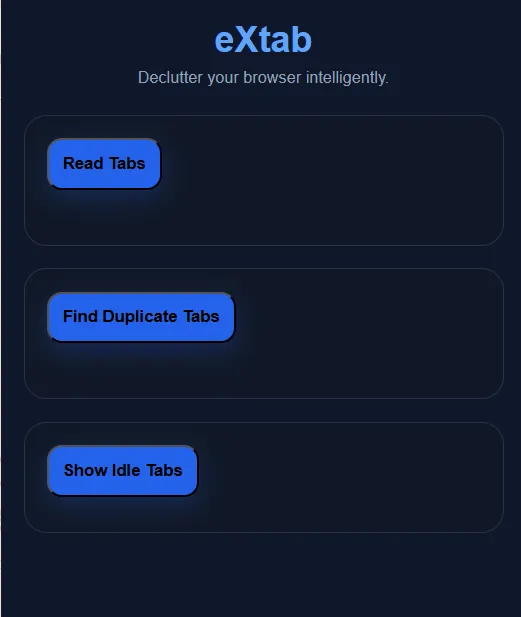
That’s how eXtab was born.
Why a Chrome Extension?
Honestly…
A. I refused to open one more tab
Building another web app to manage tabs felt ironic.
B. Chrome Extensions are seriously underrated
They’re one of the few projects that stay with the user all day.
Instead of visiting your application…
your application visits you.
I loved that idea.
Tech Stack
- JavaScript (ES6)
- Chrome Extensions Manifest V3
- Chrome Tabs API
- Chrome Storage API
- HTML
- CSS
Architecture
             User
               │
               ▼
        Chrome Popup UI
               │
               ▼
        Chrome Tabs API
               │
    ┌──────────┼──────────┐
    ▼          ▼          ▼
 Read Tabs   Duplicates  Idle Tabs
                  │
                  ▼
        Remove Duplicate Tabs
Features Built So Far
Read All Open Tabs
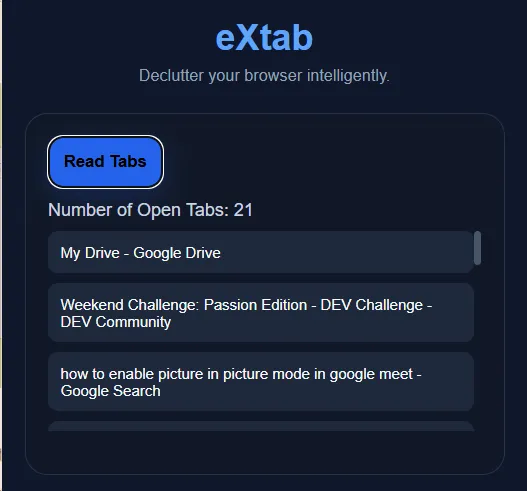
Displays every currently open browser tab.
- Reads the tab title
- Reads the URL
- Uses the Chrome Tabs API
Detect Duplicate Tabs
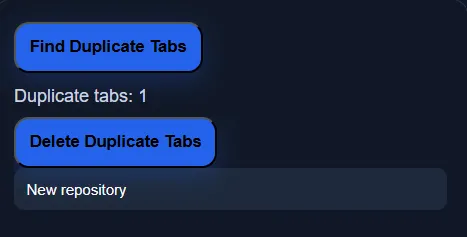
Finds tabs with identical URLs.
Example
YouTube
YouTube
YouTube

↓

3 Duplicate Tabs Found
Remove Duplicate Tabs
Automatically closes duplicate tabs while keeping one copy open.
No more hunting through dozens of browser tabs.
Detect Idle Tabs
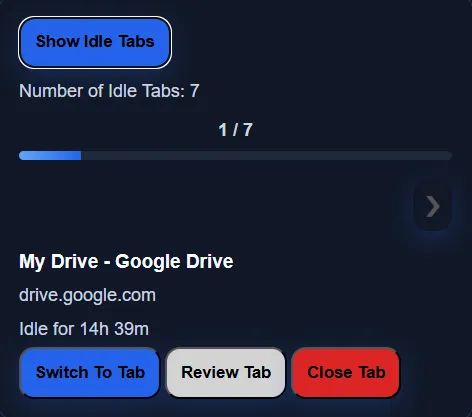
Lists tabs that haven’t been opened for 4+ hours.
Each card shows:
- Tab title
- Website
- Idle duration
- Progress through all idle tabs
Review Tabs One by One
Instead of overwhelming you with a huge list, eXtab lets you review idle tabs one at a time.
For every idle tab you can:
- Switch back to it
- Close it
- Move to the next one
What’s Coming Next?
This is where the fun begins.
I’m currently building an AI Review feature.
The idea is simple.
Click Review
↓
The extension reads the webpage.
↓
It generates a short summary explaining what the page is about.
↓
You decide whether the tab deserves to stay open.
What I Learned
This is my first Chrome Extension.
I thought it would be a weekend project.
Instead, I ended up learning about:
- Background Service Workers
- Content Scripts
- Chrome Messaging APIs
- Manifest V3
- Browser Permissions
- Popup architecture
Chrome Extensions feel very different from traditional web development, and that’s exactly why I’ve been enjoying building one.
Build in Public
This is just the beginning.
I’ll be documenting the entire journey—from bugs and failed ideas to new features—as I continue building eXtab.
If you’re building something too, I’d love to connect.
And before you leave…
How many tabs do you currently have open? 👀